
Website Downtime: 7 Proven Reasons Your Site Crashes (And the Ultimate Fixes)

Written by: Haidersafi

Facts checked by: Haidersafi

Founded in 2025, FusioPoint is a global web design and mobile app development agency, trusted for delivering innovative and secure digital solutions.
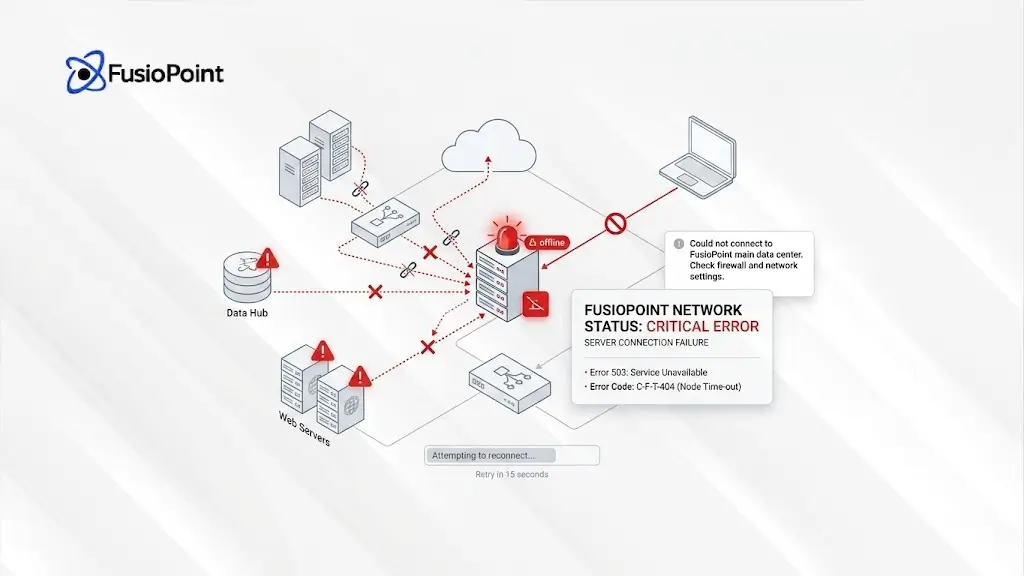
Website downtime is one of the most frustrating and common problems website owners face today—especially those operating on WordPress. If your website suddenly stops loading, displays cryptic error messages, or becomes agonizingly slow, you are certainly not alone.
Many business owners operate under the assumption that a website is something you build once and simply forget about. In reality, modern websites require consistent maintenance, routine updates, automated backups, and vigilant security monitoring to remain operational. Let’s explore exactly what causes a website to go down and how you can prevent it.
7 Common Causes of Website Downtime
Understanding the root cause of your technical issues is the first step toward a permanent fix. Here are the most frequent culprits behind an offline site.
Hosting Server Problems
One of the primary reasons websites go offline is poor or inadequate hosting. If your hosting server is overloaded, relying on outdated technology, or experiencing localized technical issues, your site may stop loading completely.
Cheap hosting providers frequently place hundreds—sometimes thousands—of websites on the exact same shared server. This crowding creates severe performance bottlenecks and leads to recurring website downtime. Investing in reliable hosting providers is crucial for consistent uptime.
Expired Domain or Hosting
Sometimes, the issue is incredibly simple: your domain name or your hosting subscription has expired. If billing renewals are missed, the registrar will pull the plug, and the website will instantly go offline. This is why it is absolutely vital to monitor your renewal dates and keep your payment methods updated.
WordPress Plugin Conflicts
WordPress websites rely heavily on plugins to function properly. However, if a single plugin updates incorrectly, or if it conflicts with another plugin or your current theme, vital parts of your website can break. In more severe cases, the entire website can crash immediately following a simple software update. (You can learn more about managing plugins safely via the official WordPress.org Plugin Repository).
Outdated WordPress Themes or Plugins
Running outdated themes or plugins does more than just create compatibility problems; it introduces serious security risks. Hackers actively seek out and target older WordPress installations that contain known vulnerabilities. To ensure both stability and security, regular updates are strictly essential.
Malware or Hacked Website
If a website becomes infected with malware, your hosting provider may step in and temporarily suspend your account to protect the rest of the server. Other hacked websites may suddenly become slow, forcibly redirect your visitors to malicious spam pages, or simply stop working entirely. Routine security monitoring and keeping clean backups are mandatory defenses for WordPress websites.
No Regular Backups
Operating without backups means that even a minor issue can snowball into a major disaster. If something breaks and there is no recent backup file available on hand, restoring the website becomes a difficult, expensive, and time-consuming process. Automated backups ensure you always have a safety net.
Poor Website Maintenance
Websites are far from “set and forget” systems. They demand continuous, proactive maintenance to stay afloat. A proper maintenance routine should always include:
- Plugin updates and compatibility checks
- Theme updates to ensure core stability
- Security checks to catch vulnerabilities early
- Database optimization for faster load speeds
- Performance monitoring to track loading times
- Backup management to verify files are saving correctly
Without dedicating time to proper maintenance, downtime inevitably becomes a more frequent reality.
Is Your Developer Doing Something Shady?
Not necessarily. In a vast majority of cases, website downtime is genuinely caused by standard hosting issues, inevitable plugin conflicts, outdated software, or a simple lack of ongoing maintenance.
However, if your websites are constantly crashing every few weeks—and your developer only steps in to fix them after charging an extra emergency fee each time—it is completely understandable to start asking questions.
A trustworthy and professional developer should always:
- Explain technical problems clearly and without unnecessary jargon.
- Provide you with full administrative access to your hosting and backups.
- Offer transparent, predictable maintenance plans.
- Help you actively understand what is happening behind the scenes.
- Ensure you are not kept completely dependent on them for basic operations.
How to Protect Yourself from Website Downtime
You don’t need to be a technical expert to safeguard your online presence. Here are a few smart, proactive steps every website owner should take:
- Keep direct access to your hosting account and domain registrar. (Consider linking to your internal guide on ‘How to Manage Hosting Credentials’ here).
- Use automated backups that store files off-site.
- Monitor uptime with dedicated tracking tools so you know immediately if the site drops.
- Ask for regular maintenance reports from your web team.
- void cheap or outdated plugins that haven’t been updated by their creators in months.
- Partner with reliable hosting providers rather than the cheapest available option
Final Thoughts
Unplanned website downtime can actively hurt your business by damaging your SEO rankings, eroding customer trust, and ultimately costing you sales. Google and other search engines penalize sites that are frequently inaccessible, as noted in guidelines provided by Google Search Central.
Whether your offline woes stem from a poor hosting server, a messy WordPress update, underlying security problems, or simply poor maintenance, understanding the core root of the issue is the first step toward fixing it. Don’t let website downtime slow you down. A properly maintained website should remain stable, secure, and reliably fast—not constantly breaking every few weeks.
In this article
- 7 Common Causes of Website Downtime
- Is Your Developer Doing Something Shady?
- How to Protect Yourself from Website Downtime
Custom App Development

Haidersafi
Haider Safi is a senior content writer who excels at making complex tech ideas simple and engaging. He's a strategic storyteller for the digital world, giving a clear voice to breakthrough concepts. Outside of writing, you'll find him diving into a great book or tracking the next big trend.